
An agent harness is the software around an AI model that lets it work through a task. It supplies information and tools and keeps track of progress. It can run checks and apply configured rules for stopping or requesting approval. Those controls need testing.
Start with a job you already own: preparing a renewal brief, reviewing a contract, or building the weekly management report. The harness connects the model to the information, actions and rules that job needs. 12
That matters when you ask AI to produce something usable across several steps. The model needs the right source files, a way to work on them, evidence that the result meets the brief, and a clear boundary around its authority.
Think of a well-run workshop
Imagine commissioning a piece of furniture. You provide a specification. A skilled craftsperson needs materials, equipment, a place to work, quality checks and permission for changes that affect the order.
The harness plays the part of the workshop's operating system. It brings the job, materials, tools and checks together. It keeps unfinished work organized and makes clear which decisions need your approval.
The analogy ends at professional responsibility. An AI model predicts responses and proposed actions. Its checks can miss errors. A named person remains accountable for deciding whether the finished work is acceptable.
Model, tools, runtime and IDE
These words describe different parts of the system. Vendors sometimes draw the boundaries differently. The Report's existing dictionary entry uses harness broadly for the full runtime. Here, harness means the work loop and operating controls; runtime means execution infrastructure. 128
| Part | What it does |
|---|---|
| Model | Reads the current input and generates a response or proposed action. |
| Tools | Let the system search, read files, calculate, use an application or take another defined action. |
| Harness | Runs the work loop, manages context, handles tool results and applies operating rules. |
| Runtime | Provides the infrastructure where execution happens, including processes, storage and any isolated workspace. |
| IDE | An integrated development environment. It gives software developers an interface for code, files, testing and debugging. It can contain an agent harness. |
A harness can sit behind a chat window, a document application, a website or an API. You can use one without opening a coding environment. Anthropic offers a reusable agent toolkit built from Claude Code. OpenAI offers a managed API for its Codex harness. 23
What the harness has to manage
Use these six capabilities as The Revenue AI Report editorial design checklist. Products provide different subsets, and their implementation varies. 124
- A defined job. The instructions specify the inputs, expected output and conditions for completion.
- Useful context. The agent can find the relevant documents, current facts and working rules.
- Permitted tools. It can use the functions needed for the job, within the access you grant.
- Progress and memory. It can retain work, retrieve earlier information and resume after an interruption. Storage still needs rules about freshness and retention.
- Checks and recovery. It can test the result, surface failures and stop when it cannot make progress.
- Authority and visibility. Permissions, approvals and logs make it possible to control actions and inspect what happened.
A saved conversation supplies only part of this. A reliable workflow also needs a completion test and a way to handle exceptions. Anthropic’s work on long-running coding agents documents unfinished changes and premature claims of completion, even with context summarization. 4
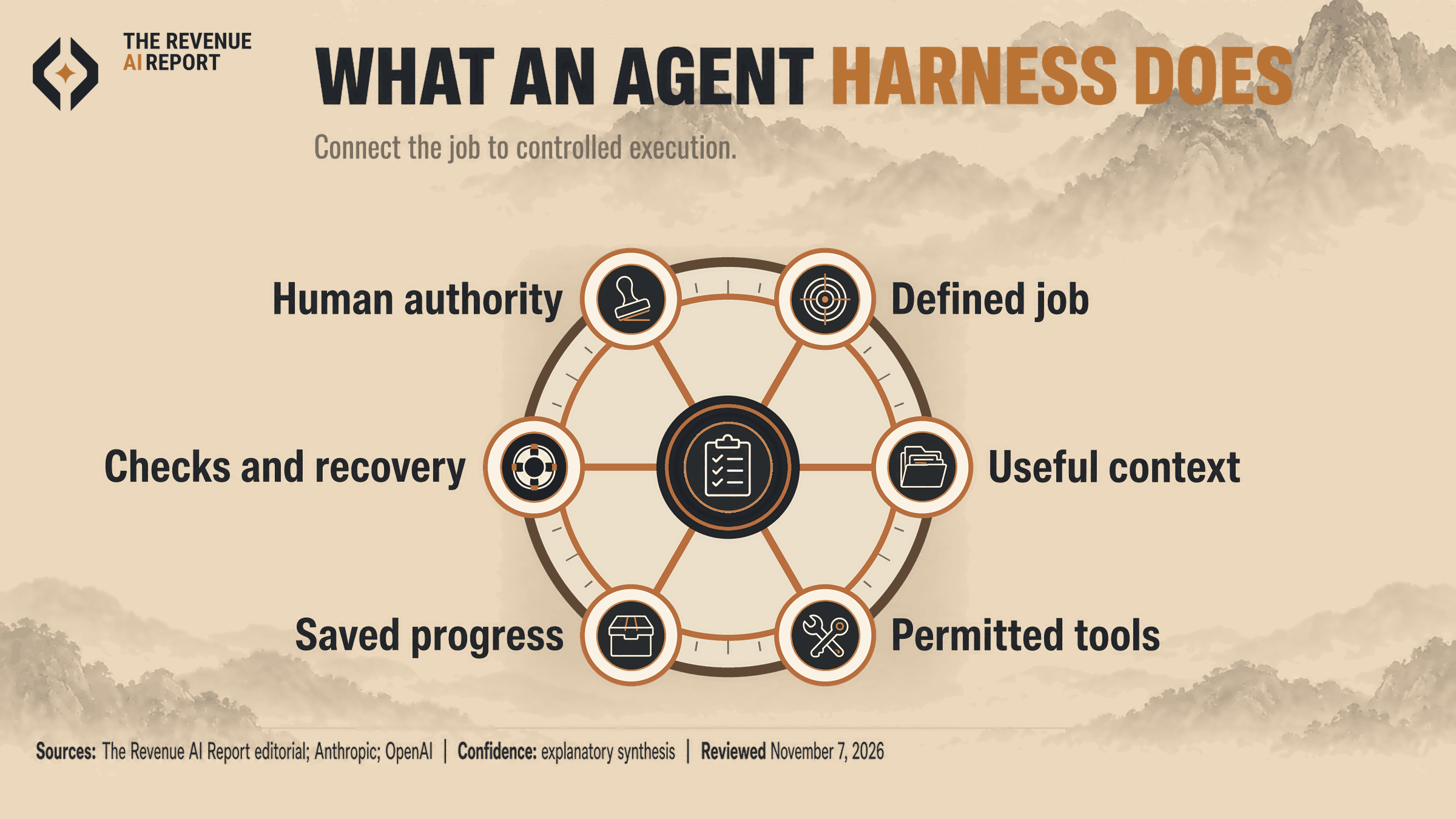
What an agent harness does
The model generates responses and proposed actions. The harness supplies the working loop and its operating controls.
- 01Defined job
- 02Useful context
- 03Permitted tools
- 04Saved progress
- 05Checks and recovery
- 06Human authority
Sources: The Revenue AI Report editorial; Anthropic; OpenAI. Confidence: explanatory synthesis. Reviewed November 7, 2026. Source 1 Source 2
A renewal brief, from request to review
Illustrative workflow: an account manager prepares a brief for a manufacturer’s annual service-agreement renewal. This is a proposed design, with no measured customer result implied.
The job: prepare a brief covering the current agreement, recent orders, service issues and questions for the renewal conversation.
The permitted information: an approved agreement folder, a read-only order export and relevant service notes. Access to other customers' files stays closed.
The work: the agent gathers those sources, extracts dates and commitments, flags conflicting information, and drafts the brief with links back to the evidence.
The check: every commercial statement must have a source. Missing delivery information becomes an open question. The harness records the files used and any failed steps.
The boundary: the account manager reviews the brief. Sending a customer email, changing a price or committing to a delivery date requires separate approval.
Recommended ownership: RevOps owns the workflow. The sales leader approves its use. Finance approves the cost limit. IT/security verifies access controls. Compliance joins where required. These are recommended responsibilities and controls, with no guaranteed product features implied. Pause the workflow if it accesses unapproved information or takes an action without required approval.
The test: compare accepted briefs with the previous process. Track preparation time, corrections, missing evidence and arrival before the renewal meeting. Measure cost per accepted brief, including operating, review and correction costs. Monitor retained revenue separately, with no claimed lift or causal attribution to faster brief preparation. Use those measures to decide whether the workflow earns wider use.
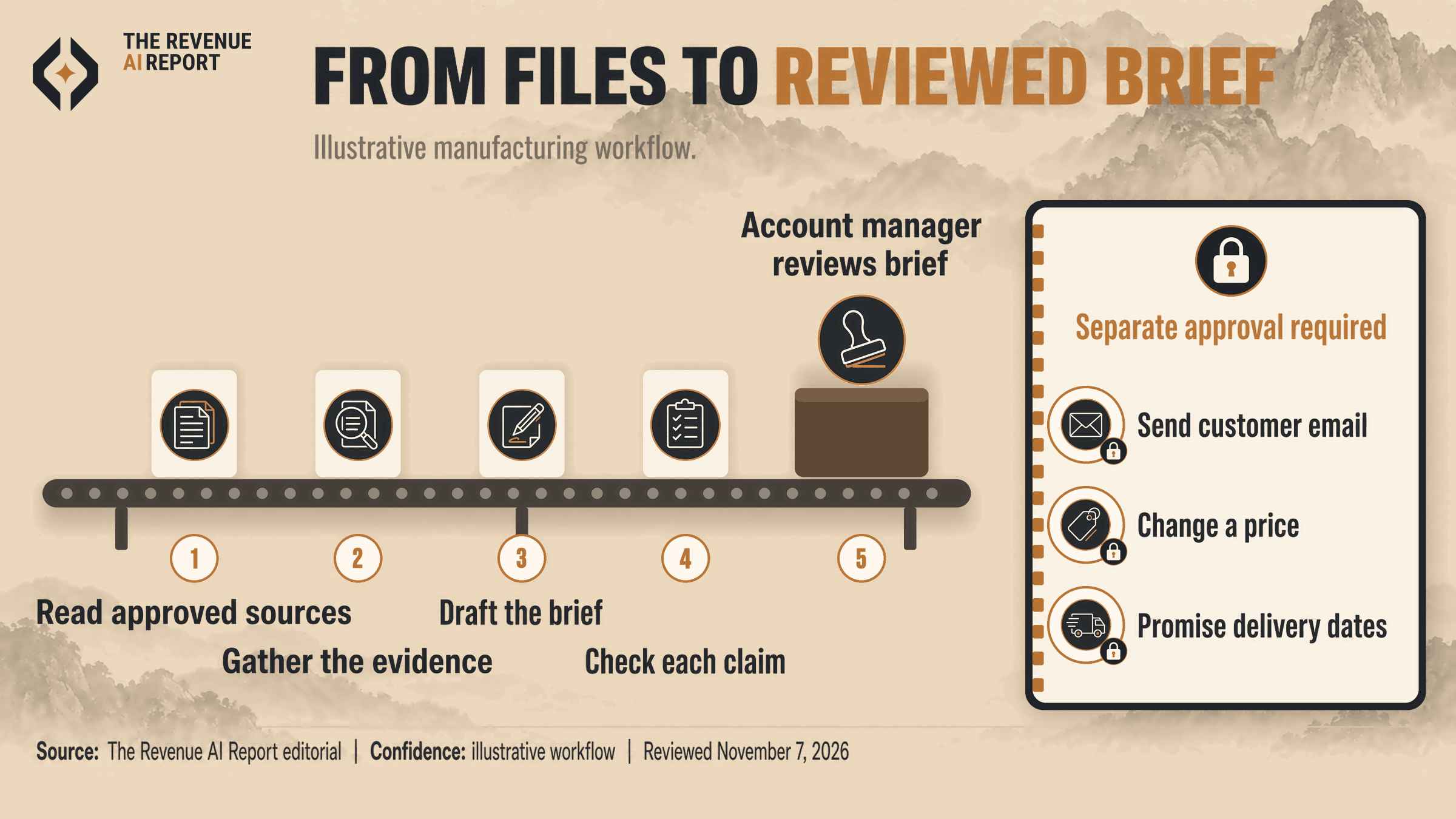
From files to reviewed brief
In this illustrative annual service-agreement renewal, the agent prepares a sourced brief for the account manager to review. Customer messages and commercial commitments require separate approval.
- 01Read approved sources
- 02Gather the evidence
- 03Draft the brief
- 04Check each claim
- 05Account manager reviews brief
- Send customer email
- Change a price
- Promise delivery dates
Source: The Revenue AI Report editorial. Confidence: illustrative workflow. Reviewed November 7, 2026.
What Claude Code and legal agents show
Claude Code provides a concrete technical example. Anthropic describes a loop of gathering context, taking action, verifying work and repeating. File access and commands let the agent inspect material, create outputs and check them. Its Claude Agent SDK makes that foundation available for other kinds of agents, including research and personal assistants. 3
Legora shows the industry layer. Its legal platform explicitly names an agentic harness for tool routing, control flow, memory management, model selection and guardrails. It adds legal sources, playbooks, precedent libraries and matter-specific access controls. 5
Harvey shows how a firm's expertise can become reusable work. Its agents page describes custom Agent Builder capabilities, connectors, memory, citations, logged steps and review of a plan before work begins. 6
These are product descriptions. We have reviewed the cited public material. We have not tested these products' legal accuracy or their controls. Legal work still requires a qualified professional's review.
Why this matters for builders and buyers
Execution foundations are available through toolkits and managed services. These can support systems built around a particular role’s documents, standards, exceptions and approval rules. 123
The builder's job includes understanding the workflow, connecting approved information, designing checks, and maintaining the system as tools and rules change. The buyer's job includes deciding which work to delegate and who remains responsible.
The best interface depends on the work. Developers may prefer an IDE. A legal team may work inside documents and a matter workspace. A manager may delegate through chat. The value depends on whether the system finishes an acceptable job at an acceptable total cost.
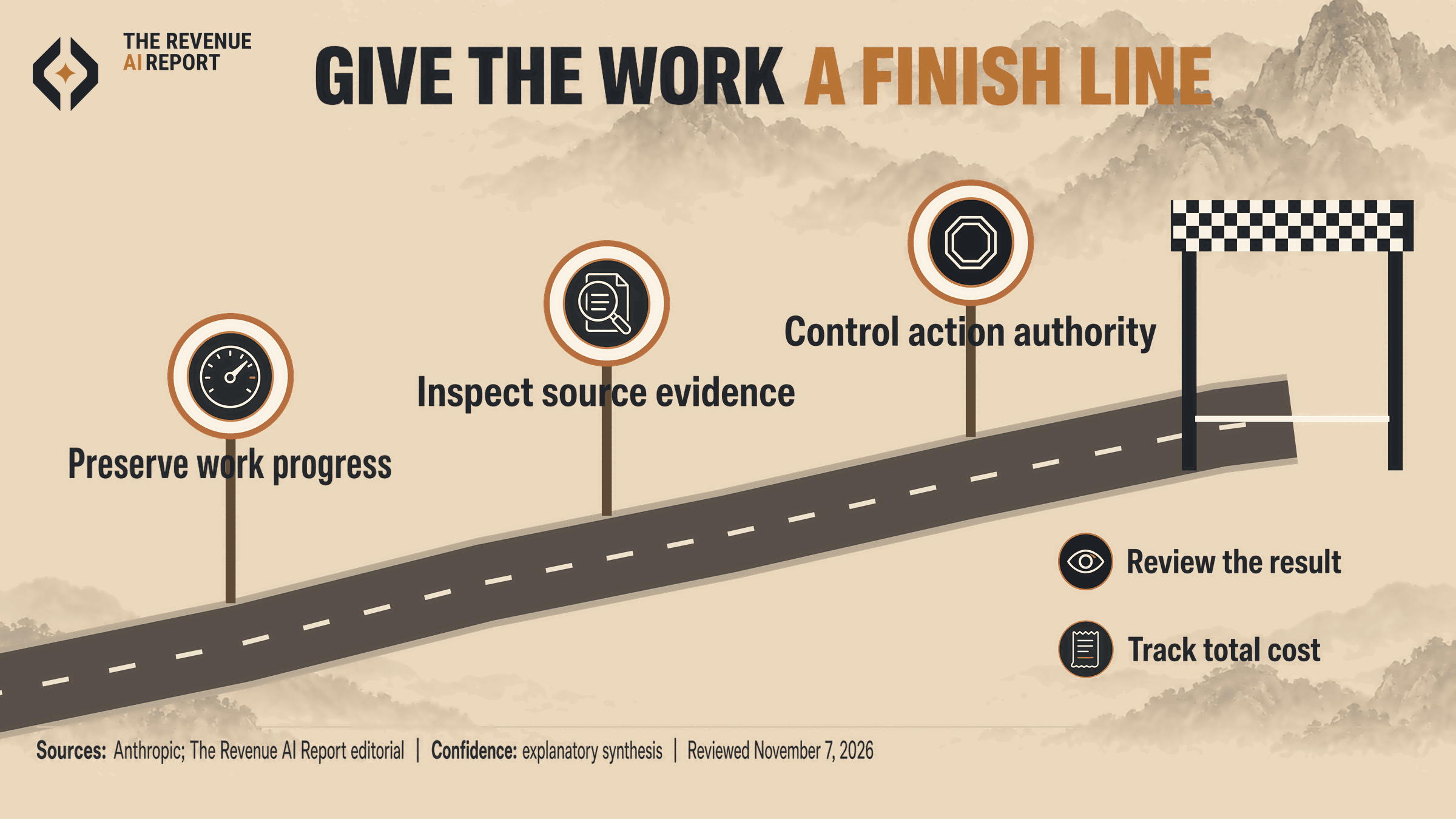
Give the work a finish line
Judge the system by an accepted result, the review it needs and the total cost of producing it.
- 01Preserve work progress
- 02Inspect source evidence
- 03Control action authority
- 04Review the result
- 05Track total cost
Sources: Anthropic; The Revenue AI Report editorial. Confidence: explanatory synthesis. Reviewed November 7, 2026. Source 1 Source 4 Source 7
Questions to ask before using a harness
- Which information can it read, and which actions can it take?
- What needs a person's approval, and where is that rule enforced?
- Can it show the sources and steps behind the output?
- What happens after a failed tool call or interrupted run?
- How will we test quality with examples from our own work?
- What gets retained, for how long, and who can delete it?
- Who owns errors, review time, operating cost and the stop decision?
Start with one recurring job and a named reviewer. Expand after the evidence supports it.
Frequently asked questions
Is a harness the same as an AI model?
The model generates responses and proposed actions. The harness connects that capability to a working environment, tools, context and controls. 12
Do I need an IDE to use a harness?
Many products put agent execution behind familiar applications or chat. An IDE is one interface for building and reviewing software. 235
Do I need to build my own?
You can configure an existing product, use a toolkit or build a custom system. Choose according to your workflow, integration needs and required controls. 235
Does memory make an agent reliable?
Memory can preserve useful information. Reliability also needs current sources, verification, permissions and recovery. Stored information can become stale or incomplete. 14
Can every task benefit from an agent?
A fixed workflow or a single model call may be sufficient. Add complexity when testing shows a meaningful improvement. 7
Sources
Get the weekly Report: subscribe.